
I’ve been using Oink for Influencers for free for a while. The free version was useful enough that I kept debating whether I should upgrade to Pro. Today, I finally did—and within my first hour, I was already wondering why I’d waited.
This post contains affiliate links. As an Amazon Associate and Walmart Creator, I earn from qualifying purchases. I may also earn a commission through other affiliate programs at no extra cost to you. I only share products I genuinely find useful or interesting.
Disclosure: This post contains affiliate links. If you subscribe to Oink through my link, I may earn a commission at no additional cost to you. I was using and recommending Oink before becoming a Pro subscriber. All opinions and experiences in this post are my own.
I’ve Wanted Oink Pro for a While
I didn’t wait to upgrade because I didn’t think Oink Pro looked useful.
I waited because of math.
When I was earning less than $30 a month from Amazon Influencer, I couldn’t justify spending $29.99 a month on another creator tool—even when other influencers told me Oink Pro could pay for itself in its first month.
I’m pretty careful about adding recurring expenses to my creator business. A tool can have an impressive list of features, but if I’m not earning enough to cover it, “it might help me make more money” isn’t always enough to get me to pull out my credit card.
So I kept using Oink Free.
Ironically, using the free version is what eventually convinced me to pay for Pro.
Oink Free Is Actually Useful
This is important because I don’t think you need to subscribe to Oink on day one.
I’ve gotten a surprising amount of use out of Oink without paying anything.
The Oink shortcut bar has become part of how I use Amazon. When I’m looking at a product, I can use Oink’s tools without constantly jumping between Amazon and separate dashboards.
I can check whether a product has a Creator Connections campaign right from its product page. I can add products to my Amazon Idea Lists from there. I can run Creator Connections checks, research opportunities and use other tools that make managing an Amazon Influencer storefront easier.
And Oink Free wasn’t just something I installed and forgot about.
I was actually using it.
Eventually, I started seeing enough value from what I could do with the free version that the question changed.
Instead of:
“Can I justify spending $29.99 a month on Oink Pro?”
I started asking:
“If the free version is already helping me earn money, can I justify not upgrading anymore?”
Today, I finally upgraded.
And I decided I was going to put Pro to work immediately.
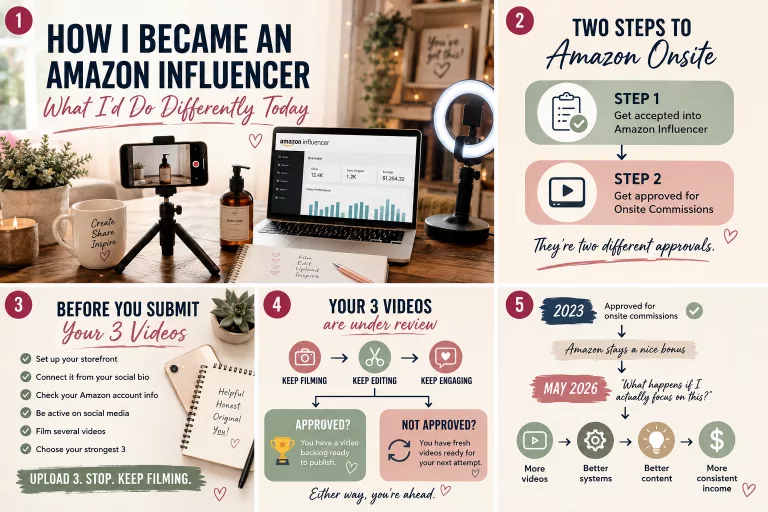
If you’re still trying to get established in the program, start with my guide to how I became an Amazon Influencer and what I’d do differently starting today. I wouldn’t start your Amazon Influencer journey by collecting paid subscriptions before you know what problems you actually need them to solve.
What I Did in My First Hour With Oink Pro
I didn’t start by playing with every shiny new feature.
I started with the boring stuff that can actually affect my earnings.
First, I updated my preferences and investment profile and joined the Oink Pro Facebook group.
Then I started fresh.
I ran a complete storefront fetch, followed by a Storefront Health Check, and then started a full Creator Connections check.
And the first Pro difference was obvious almost immediately.
Hundreds of Products in Minutes Instead of Hours
I could already run Creator Connections checks with Oink Free.
The problem was speed.
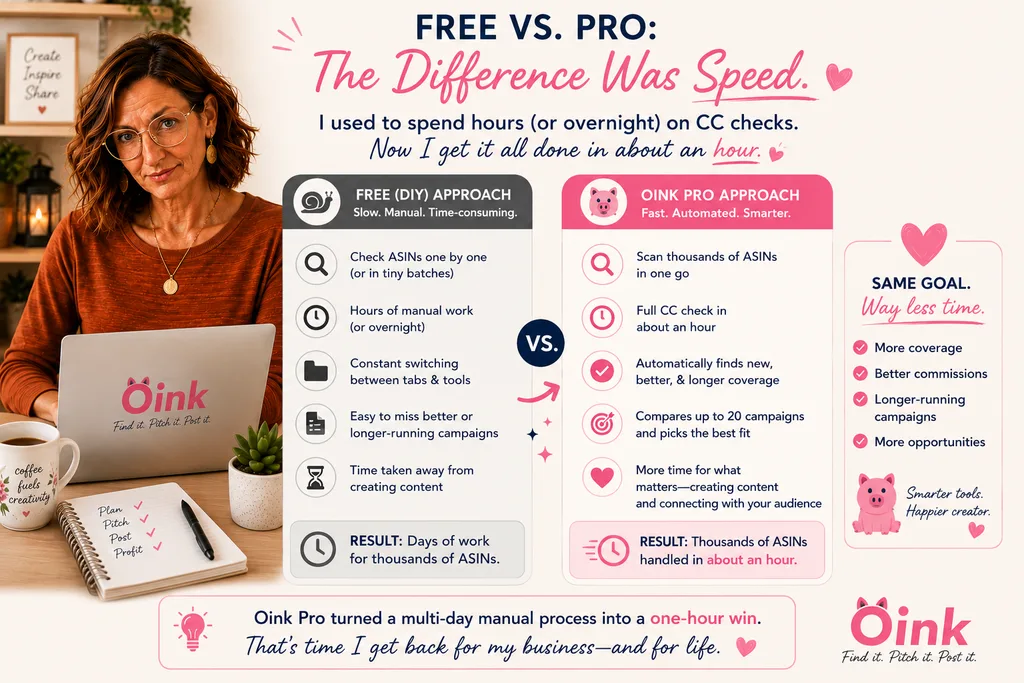
My storefront has thousands of ASINs, and checking them all could take hours on the free plan. Sometimes I would leave a scan running overnight and wake up the next morning to find it was still running.
I knew I should be checking more regularly for new Creator Connections opportunities on products I had already created content for.
But knowing I should do something and having the time to actually do it are two different things.
With Pro, I immediately noticed the speed increase.
It was scanning hundreds of products in minutes instead of hours.
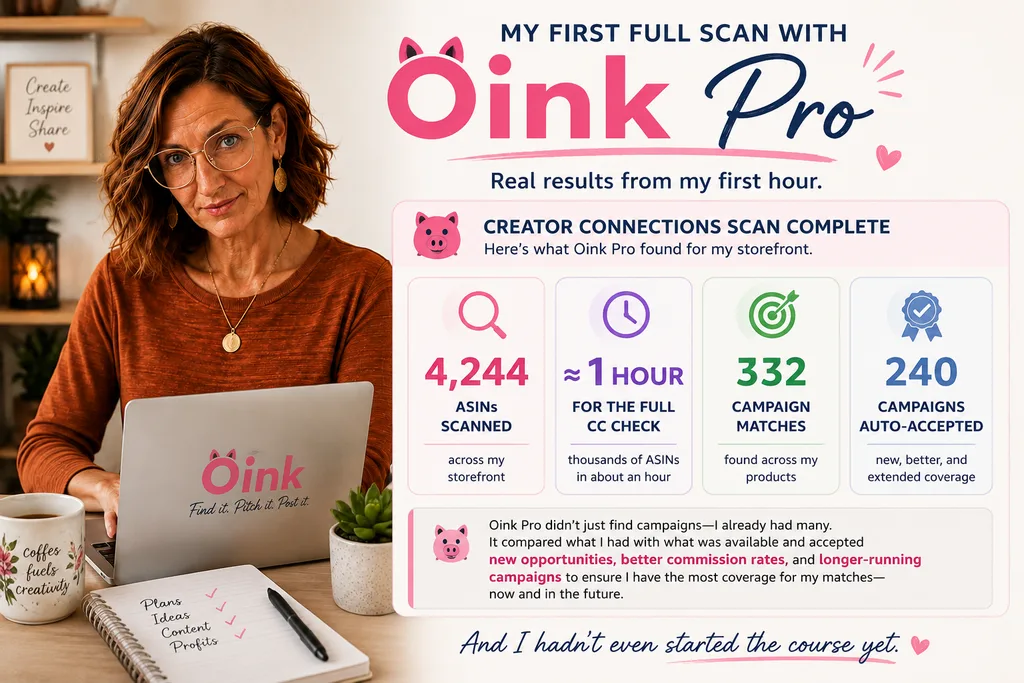
My complete Creator Connections check ultimately went through more than 4,000 ASINs in about an hour.
That changes the usefulness of the feature for me.
Oink Free showed me that the scan was valuable. Oink Pro made it fast enough that running it regularly suddenly feels practical.
And the results gave me a pretty compelling reason to keep doing it.
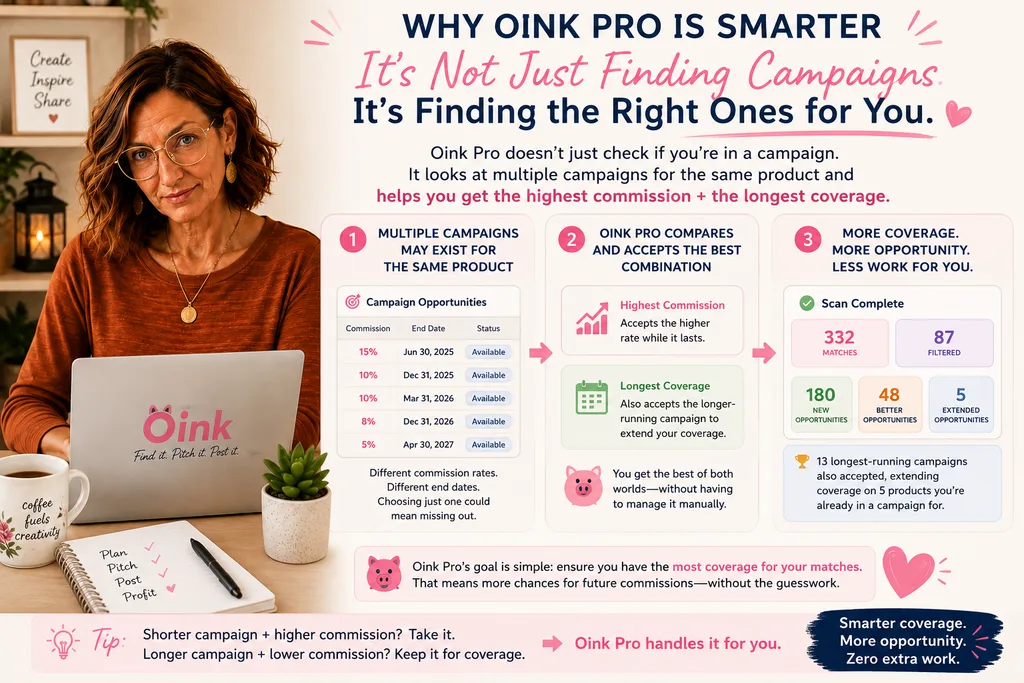
My First Full Pro Scan Auto-Accepted 240 Campaigns
When my full Creator Connections check finished, Oink Pro had scanned more than 4,000 ASINs in about an hour.
The results surprised me.
Oink found 332 ASIN matches to Creator Connections campaigns. After cross-checking what I had already accepted, it automatically accepted 240 campaigns for me.
And I thought I was on top of Creator Connections.
But this is where Oink Pro’s campaign checking gets more sophisticated than simply asking whether I’ve accepted a campaign for a product.
Of the results Oink identified, 180 were new opportunities and 48 were better opportunities. It also found situations where accepting a longer-running campaign could extend my coverage.
That’s important because the highest-paying campaign and the longest-running campaign aren’t necessarily the same campaign.
If a shorter campaign pays a higher commission, I want that rate while it’s available. But if another campaign pays less and runs longer, I may want that one accepted too. That way I can take advantage of the better commission now without unnecessarily losing Creator Connections coverage when the shorter campaign ends.
Oink even found 13 longest-running campaigns that could extend coverage on five products where I was already enrolled in another campaign.
It also identified 146 ASINs with campaigns that were already full. Those weren’t counted in the results above because there was nothing for Oink to accept.
That’s a level of Creator Connections management I simply wasn’t doing manually across a storefront with thousands of products.
And remember: this was still my first hour.
While 4,000+ ASINs Were Being Checked, I Sent 14 Brand Messages
This was probably the moment when I started thinking:
Why did I wait this long to upgrade?
I left the big Creator Connections scan running in one window and opened another.
There was a product I actually needed, so I decided to look through relevant Creator Connections campaigns and see whether there were brands I wanted to contact.
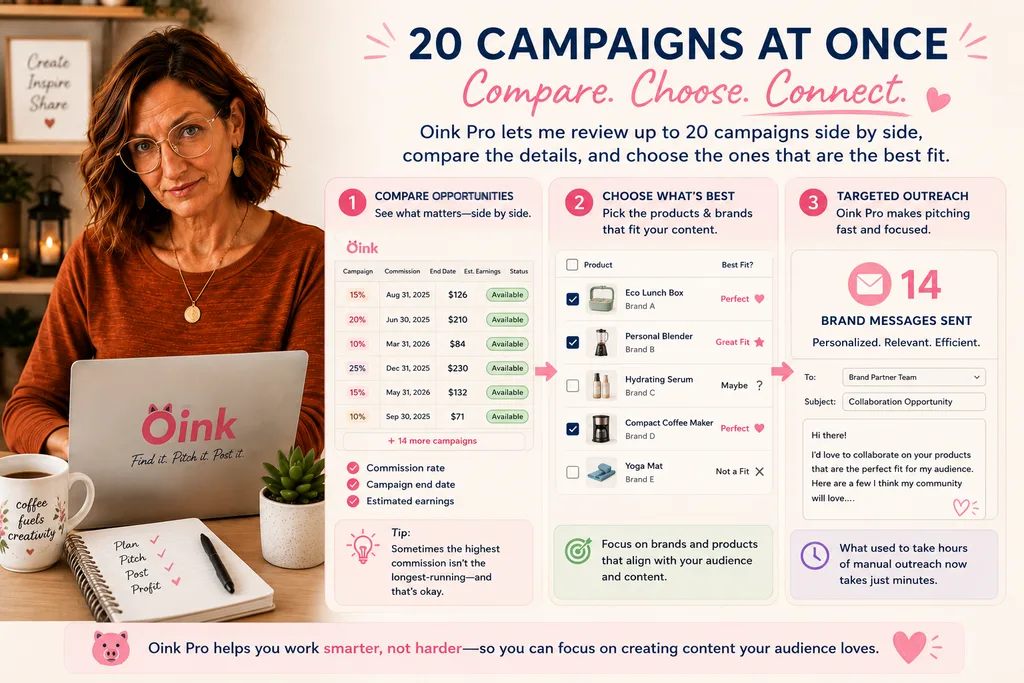
Oink Free lets you scan and message five campaigns at a time.
Pro lets you do 20 at a time.
That sounds like a simple quantity increase.
In practice, it’s much more useful than that.
Being able to work with 20 campaigns at once means I can compare a much larger group of opportunities before deciding which brands are worth contacting and which products make the most sense for me to request.
Oink has tools for narrowing campaigns by things such as how long they’re going to run and scanning for previous sales. I can see the products within campaigns, look at influencer videos, review sales information and use that additional context to make a better decision about an opportunity.
Instead of just asking:
“Can I message this brand?”
I can make a much more useful decision:
“Is this campaign worth pursuing, and which product in it makes the most sense for me?”
In that first session, I bulk-checked 20 Creator Connections campaigns and sent 14 brand messages while my storefront scan continued running separately.
That’s the kind of efficiency I was hoping Pro would give me.
The Difference Isn’t Just “More Features”
After my first hour, I think this is the distinction that matters most between my experience with Free and Pro.
Oink Free showed me what I could be doing.
Oink Pro is removing enough friction that I can actually do more of it.
That’s what I want from a paid creator tool.
I don’t need another dashboard full of buttons that gives me additional work.
I need software that makes revenue-producing work I already need to do faster, easier or more effective.
Scanning thousands of products in roughly an hour instead of potentially running overnight qualifies.
Comparing 20 Creator Connections opportunities at once instead of working through batches of five qualifies.
Being able to research campaigns and message brands while another major scan runs in a separate window qualifies.
And I haven’t even tested everything yet.
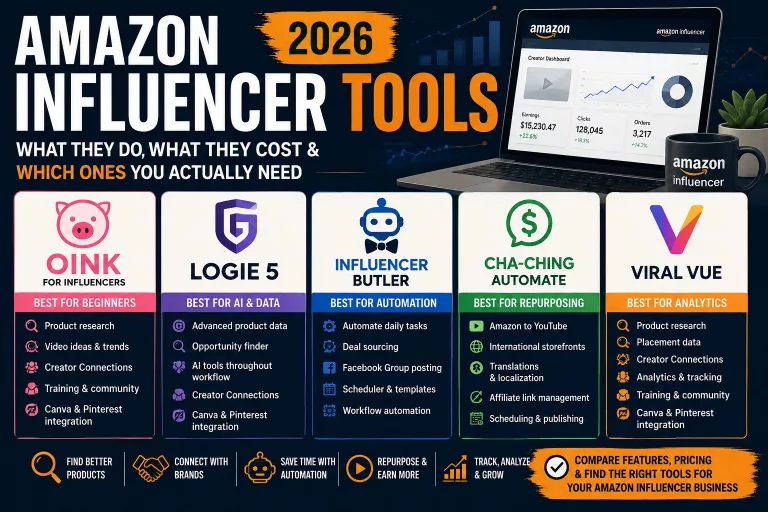
Oink isn’t the only Amazon Influencer tool I use, and I don’t think there is one tool that’s automatically best for every creator. I’ve compared the Amazon Influencer tools I’ve actually used, what they cost, and which ones I think are worth considering if you’re trying to figure out what belongs in your own tool stack
The New Oink Pro Features I’m Excited to Try
My first hour was primarily spent on my storefront and Creator Connections, but Oink has been adding features in several other parts of the Amazon Influencer workflow.
One of the biggest new additions is an upgraded YouTube crossposting system.
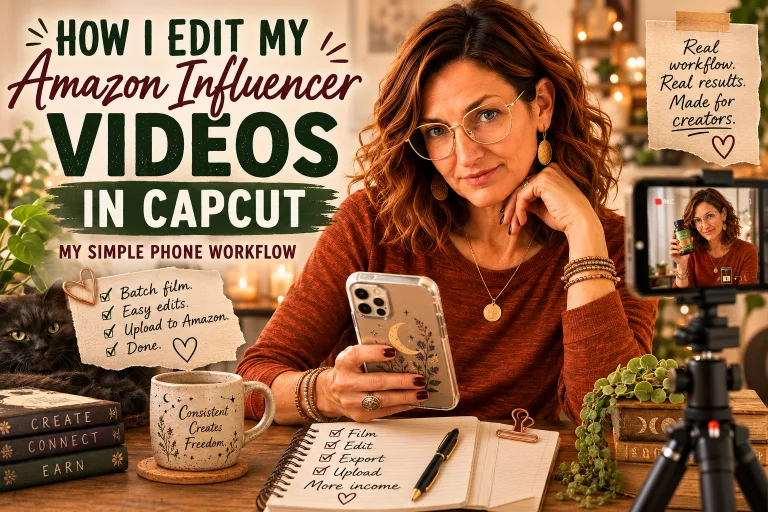
Of course, crossposting only helps once you have content to work with. If you’re still trying to make the production side faster, I’ve shared my complete phone workflow for filming and editing Amazon Influencer videos in CapCut. My goal there is the same as it is with tools like Oink: reduce enough friction that I can actually repeat the process consistently.
Oink can take Amazon content and send it to YouTube with AI-generated titles and descriptions that remain editable, add Genius Links, support comparison videos and include a custom call-to-action overlay.
That’s particularly interesting to me because making one piece of content work harder across multiple platforms is something I’m always trying to improve.
There’s also the Creator Connections Campaign Monitor, which watches for new campaigns and can alert you when opportunities worth considering appear.
And Multi-Seller Visibility helps you see what’s happening when multiple sellers are attached to a product—something worth knowing before you invest money or time into creating content around it.
There are storefront and content-management tools I’m still exploring as well.
I’ll update this post as I spend more time with Pro rather than pretending I can review every feature after using it for one morning.
But after that first morning?
I already understand the appeal.
One of Oink’s Best Features Isn’t Actually a Feature
There’s another reason I’ve been comfortable recommending Oink even though, until today, I was using the free version.
Fizz.
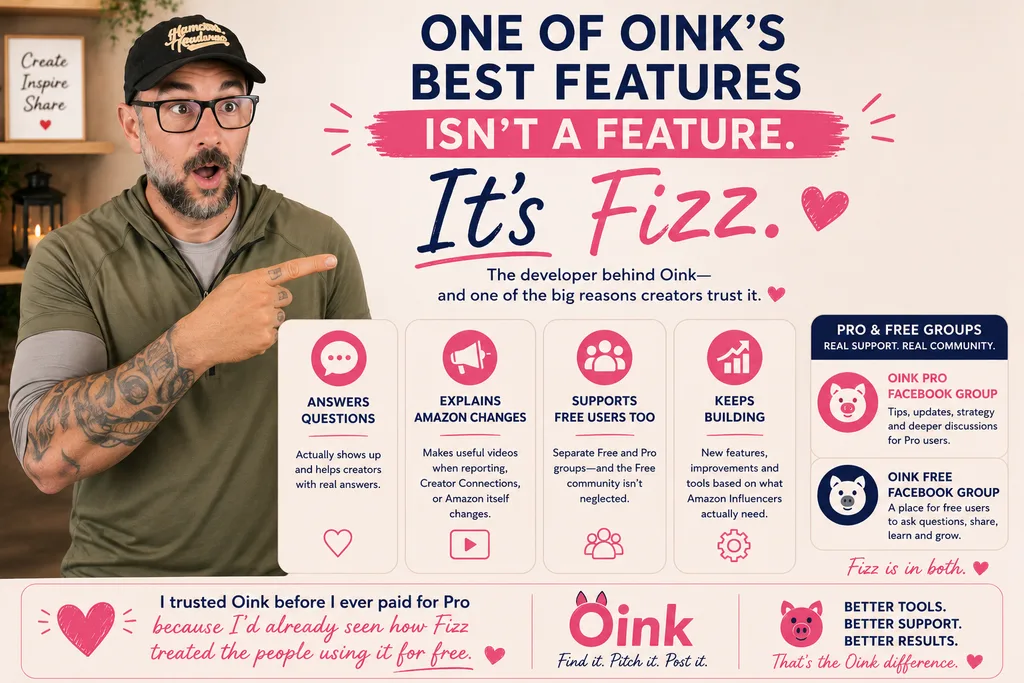
One of the things that has consistently impressed me about Oink is how helpful Fizz is to the people using his software—including those who aren’t paying him.
There are separate Facebook communities for free and Pro Oink users, but the free group doesn’t feel like a neglected waiting room where the only purpose is to convince you to upgrade.
Fizz answers questions.
He explains changes happening with Amazon.
He makes videos that are actually useful.
He continues adding features.
And he’s present.
That matters to me.
Software for Amazon Influencers exists inside an ecosystem that changes constantly. Amazon changes reporting. Creator Connections changes. Features move. Rules change.
The person behind the software continuing to explain those changes and help creators navigate them adds value that doesn’t fit neatly into a feature-comparison chart.
It’s also one of the reasons I felt comfortable recommending Oink before I ever paid for Pro myself.
I knew what the free product was like.
I knew how the community was treated.
And I knew what kind of support I had seen from the person building it.
And Then Fizz Announced His Entire Six-Week Level Up Course
This is what finally pushed me over the edge.
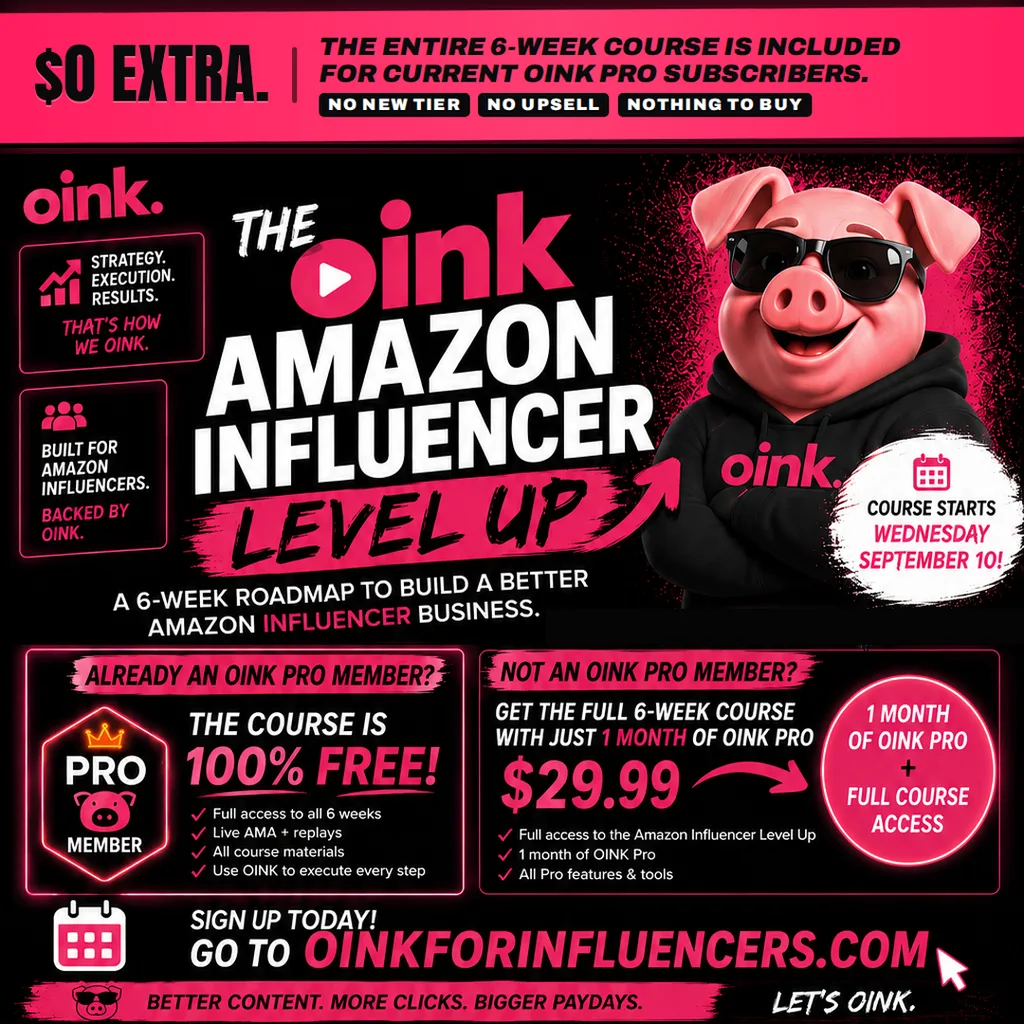
Fizz announced Amazon Influencer Level Up, a complete six-week live program for Amazon Influencers.
And instead of selling it as a separate course, he’s including the entire thing with an Oink Pro subscription at no additional charge.
The six weeks cover:
- Week 1 — Action Week: building a repeatable daily workflow
- Week 2 — Products: finding better products and Creator Connections opportunities
- Week 3 — Making the Video: creating product videos designed to convert
- Week 4 — Competing for Clicks: thumbnails and titles
- Week 5 — Cross Posting & Maintenance: getting more value from your existing content
- Week 6 — Advanced Strategies & AMA: advanced tactics and live Q&A
The live program begins September 10, and replays and course materials will be available.
That’s important because you’re not paying $29.99 to buy a course.
You’re subscribing to Oink Pro, an actual Amazon Influencer tool, and Fizz is including the entire six-week training program with it.
Live multi-week business courses and coaching programs can easily cost hundreds of dollars, with some costing much more.
So getting six weeks of live Amazon Influencer training included with a tool I had already been debating paying for?
That sealed the deal for me.
I Didn’t Subscribe for the Course
I want to make this distinction especially clear.
I didn’t subscribe to Oink Pro because I wanted to buy a course.
I’d wanted Oink Pro for a while.
I had already gotten used to using Oink Free. It had become part of my Amazon workflow. I was already seeing enough value from the free tools that my old “I don’t earn enough to justify $29.99” argument wasn’t holding up very well anymore.
The Level Up announcement changed the timing.
It gave me a very good reason to stop saying maybe next month and actually subscribe.
Then I upgraded and, before watching a single minute of the course, spent my first hour scanning thousands of products, checking Creator Connections opportunities and contacting brands.
The software started making its own case immediately.
The six-week course is the bonus.
And it’s a pretty ridiculous bonus.
Is Oink Pro Worth $29.99?
I’m not going to pretend I can give you a definitive long-term Oink Pro review after one morning.
I can tell you something more useful:
I used Oink Free before I paid for Oink Pro.
If you’re just getting started or aren’t ready for another subscription, I would absolutely start there.
Use the free tools. Learn what they do. See whether they fit the way you work.
That’s exactly what I did.
But if you’re actively creating Amazon Influencer content, have a growing storefront, use Creator Connections and find yourself waiting on scans or working through opportunities in small batches, I can already see where Pro earns its place.
My first full Pro Creator Connections check scanned 4,000+ ASINs in about an hour.
It surfaced 220 additional campaigns for me to accept.
While that was happening, I bulk-checked 20 campaigns and sent 14 brand messages.
That was my first hour.
So yes, I’m starting to wonder why I waited.
This Is an Especially Good Time to Try Oink Pro
If you’ve already been considering Oink Pro, the Level Up program makes the timing particularly compelling.
The live course begins September 10, so subscribing now gives you the opportunity to participate as the six-week program happens rather than only watching the replays later.
A month of Oink Pro is $29.99.
And Fizz has given me a promo code for my readers:
Use code ANGEL10 for 10% off ALL payments.
Disclosure: I may earn a commission if you subscribe through my affiliate link, at no additional cost to you.
Try Oink Pro + Get Amazon Influencer Level Up Included
I’ll be going through Level Up myself and continuing to use Pro in my actual Amazon Influencer workflow. I’ll update this post as I learn which Pro features make the biggest difference for me—and, importantly, which ones don’t.
For now, though, my first-hour verdict is pretty simple:
I probably should have upgraded sooner.