If you’ve been in the Amazon Influencer Program for more than five minutes, you’ve probably discovered that there’s an entire ecosystem of tools promising to help you find better products, track your videos, manage Creator Connections, communicate with brands, automate repetitive tasks, and generally make the whole thing easier.
This post contains affiliate links. As an Amazon Associate and Walmart Creator, I earn from qualifying purchases. I may also earn a commission through other affiliate programs at no extra cost to you. I only share products I genuinely find useful or interesting.
Some of them are genuinely useful.
Some of them do essentially the same thing as three other tools.
And some are absolutely worth paying for—but only if they solve a problem you actually have.
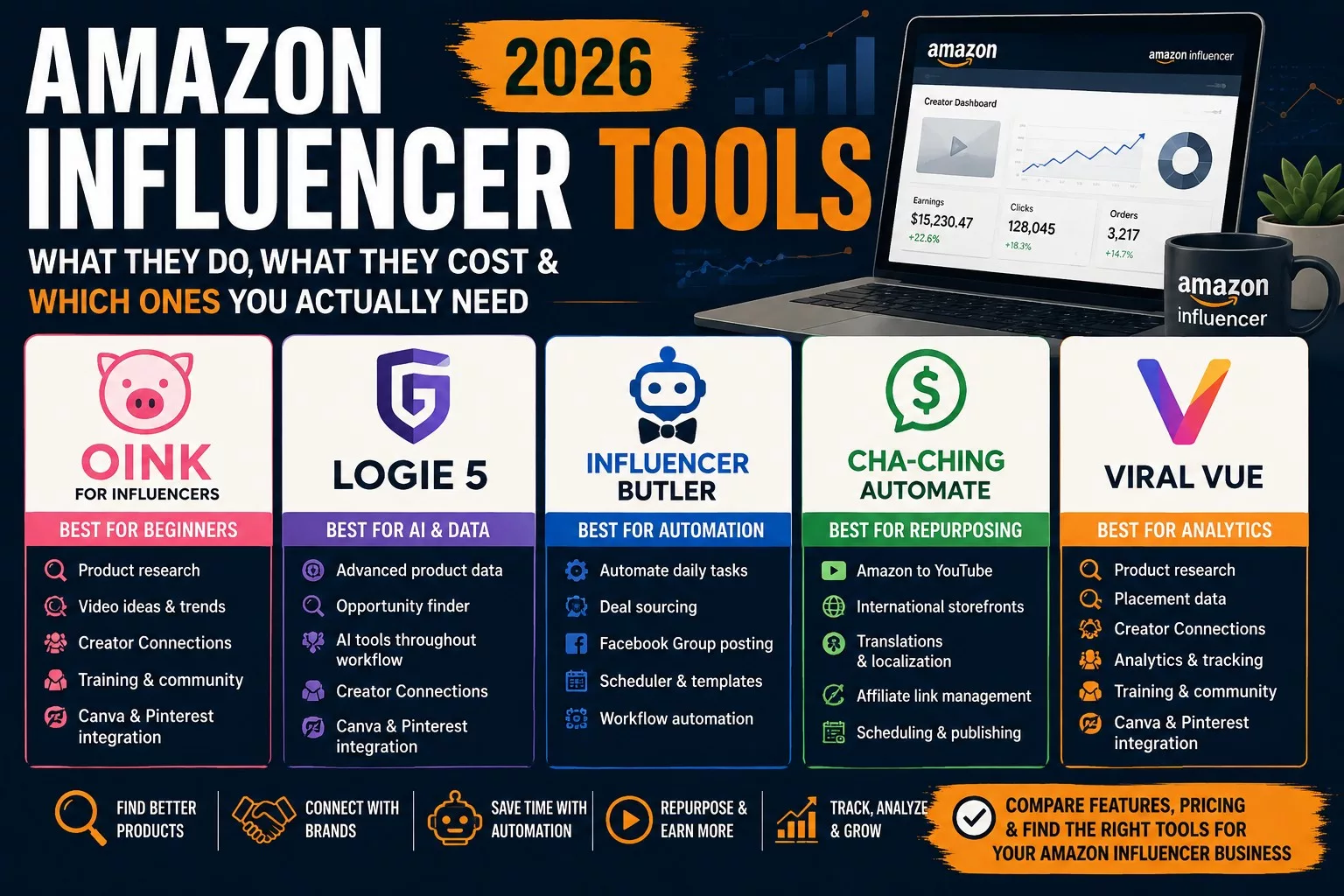
I’ve personally tried every tool in this guide: Oink for Influencers, Logie 5, Influencer Butler, Cha-Ching Automate, and Viral Vue. Some I use regularly. Some I pay for. And at least one I’ve decided isn’t worth the price for the way I work.
That firsthand experience is important because a feature list doesn’t always tell you what it’s actually like to live with a tool in your everyday workflow.
An automation can sound fantastic until it takes over the computer you’re trying to work on. A platform can have dozens of powerful features but feel overwhelming when you’re brand new. And sometimes a tool has obvious shortcomings and is still worth paying for because the one thing it does well saves you an enormous amount of time.
So this isn’t going to be a list of five platforms followed by five variations of “this is a great tool.”
I want to answer the question I would have had when I started:
Which Amazon Influencer tools do I actually need?
We’ll look at what each tool does, what it costs, what you can accomplish for free, where it shines, where it falls short, what kind of training and support is available, and—most importantly—who I think it’s actually worth using for.
One thing you won’t find in this guide is a single “best overall” winner. That’s intentional.
A brand-new creator trying to figure out which products to make their first videos about doesn’t need the same software as someone managing hundreds of videos, multiple Creator Connections campaigns, international storefronts, and Facebook deal groups.
The best Amazon Influencer tool is the one that solves your current bottleneck at a price your influencer income can justify.
And if you’re brand new and your current software budget is exactly $0? That’s okay too.
There are genuinely useful free tools available, and I don’t think you should start your Amazon Influencer journey by collecting monthly subscriptions.
In fact, that’s exactly where I recommend we start.
Quick Answer: Which Amazon Influencer Tool Should You Choose?
If you don’t want to read every review before deciding where to start, here’s my short answer after actually using all five:
Note: Links in the summary table below and throughout this post are affiliate links.
| If you need… | Start with… | Why |
|---|---|---|
| You’re brand new to the Amazon Influencer Program | Oink | Easy to get started, generous free tier, step-by-step guidance, excellent training and strong community support |
| Better product data and AI throughout your workflow | Logie 5 | Excellent product intelligence, brand communication tools, AI assistance, opportunities and a genuinely useful free tier |
| Automation—especially for deal posting | Influencer Butler | Automates repetitive workflows and is particularly valuable if you run Facebook deal groups |
| To get more mileage from videos you’ve already made | Cha-Ching Automate | Makes it dramatically easier to move existing Amazon videos to YouTube and international Amazon storefronts |
| A broad Amazon-specific research and analytics suite | Viral Vue | Combines product research, placement data, Creator Connections tools, analytics, training and community |
If You’re Completely New, Start Here
If you’re just getting started, I would not pay for a stack of Amazon Influencer software yet.
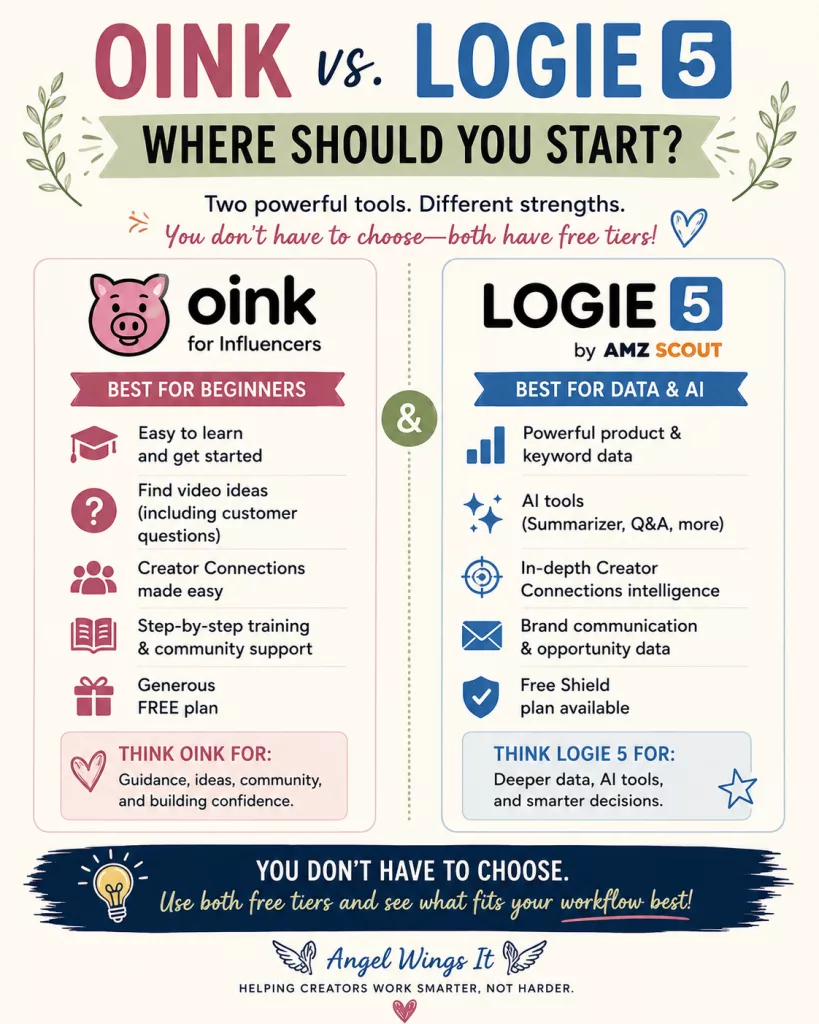
My starting combination would be Oink Free + Logie 5 Free. If I could recommend only one starting point, though, it would be Oink. It’s approachable, useful without paying, and backed by step-by-step guidance, training, an active Facebook community, and a help bot I’ve personally used to troubleshoot problems.
I’d add Logie 5’s free tier pretty quickly for its product data and AI tools. It does more and has a steeper learning curve, which is why I see the two as complementary rather than an either/or choice.
Use both for free while you make videos and learn the program. As you work, you’ll naturally start noticing the friction points: product research takes too long, Creator Connections eats up an afternoon, tracking videos becomes a headache, or you suddenly have 200 finished videos that could be working elsewhere.
That’s how your workflow develops. You don’t need to design the perfect system before you’ve done enough of the work to know what needs a system.
One technical note: If you use multiple influencer browser extensions, don’t run them in the same browser window at the same time. They can conflict, slow page loading, or cause crashes. Use separate browser profiles/windows or turn individual extensions on and off as needed.
How I Evaluated These Tools
Every core tool in this guide is one I’ve personally tried, although not equally. Oink, Logie 5, Influencer Butler, and Cha-Ching have spent considerably more time in my workflow. My Viral Vue experience was more limited because I ultimately couldn’t justify keeping it for the way I work.
I’m evaluating them on what matters in actual use: price and free access, product data, Creator Connections and brand tools, AI, automation, training and support, learning curve, and—most importantly—whether the value they provide justifies the cost.
I’ll also tell you where they’ve frustrated me. When I call something “best,” I mean best for a particular job or type of creator, not that everyone should subscribe to it.
The goal is to find the tool that earns its place in your workflow.
Oink for Influencers — Best for Beginners
If you’re brand new to the Amazon Influencer Program and you only take one recommendation from this guide, start with Oink.
That doesn’t mean I think Oink is automatically the most powerful tool on this list or that you’ll never need anything else. It means Oink does the best job I’ve found of meeting a new influencer where they actually are: trying to figure out what they’re supposed to do next.
And you can get surprisingly far without paying for it.
What Is Oink for Influencers?
Oink is a browser-based toolkit built specifically for Amazon Influencers. It brings together tools for product research, Creator Connections, storefront management, earnings, video research, content gaps, international marketplaces, and other parts of the Amazon Influencer workflow.
But the reason I recommend it so strongly to beginners isn’t simply the number of tools.
It’s how much help you get figuring out what to do with them.
Oink has a step-by-step startup guide, a large library of training videos, regular updates, and an active Facebook community where you’ll find experienced Amazon Influencers answering questions alongside newer creators.
There’s also an Oink help bot that I expected to be considerably less useful than it actually is.
I’ve used it when I was troubleshooting problems and gotten answers that genuinely helped me solve them. That’s an important distinction when you’re learning a program where a lot of your questions aren’t necessarily “How do I use this button?” but “Why is Amazon doing this?”
One of My Favorite Oink Features: Find the Questions Customers Actually Have
One of the hardest things when you’re starting out is figuring out what to say in a product video.
You don’t need to make an infomercial. You need to help someone who’s considering buying the product make a decision.
Oink can help surface questions people are actually asking about products. That gives you something much more useful than a generic list of talking points: a reason for the video to exist.
If shoppers repeatedly want to know whether something fits in a particular space, how difficult it is to assemble, what a feature actually looks like in use, or how it compares in real life to what they’re seeing in the listing, those are things you can potentially demonstrate.
That’s useful even after you’ve been doing this for a while.
For a beginner staring at a product thinking, What on earth am I supposed to say about this for 45 seconds? it’s especially valuable.
Oink’s Free Tier Is Actually Useful
I make a distinction between a free tier and a demo disguised as a free tier.
Oink falls into the first category.
You can use the free version for Creator Connections and storefront cross-checking, earnings tracking, finding untagged videos, quick content edits, international marketplace tools, and other everyday tasks without immediately being forced into a subscription.
That’s one reason I’m comfortable telling a new creator to sign up.
You don’t have to decide whether another monthly business expense is worth it before you’ve made enough money from the business to answer that question.
As your workflow becomes more complicated, Oink Pro adds more powerful Creator Connections tools, bulk brand messaging, content-gap and order-history tools, deeper storefront analysis, and other time-saving features.
At that point, you’re not paying because someone told you that serious influencers need Pro.
You’re paying because you can look at something you’re currently doing manually and say, yes, paying for this would make my life easier.
That’s when I think software subscriptions start making sense.
Oink’s Training and Community Are Part of the Product
This is something I think gets overlooked when comparing Amazon Influencer software.
You’re not necessarily just paying for features.
Rob “Fizz” Wagener regularly publishes videos explaining both how to use Oink and how to grow as an Amazon Influencer. The distinction matters: learning which button performs a task isn’t the same thing as understanding why that task might help your business.
There’s also an active Facebook community with experienced creators answering questions, which can be particularly valuable when you’re new enough that you don’t even know what terminology to search for yet.
Combined with the startup guide, training library, updates, help bot, and community, Oink has one of the strongest learning ecosystems of any tool I’ve tried.
That’s a major reason it gets my beginner recommendation.
Where Oink Fits as You Grow
Calling Oink my best tool for beginners doesn’t mean I think you’ll necessarily outgrow it.
Early on, its biggest value is guidance: helping you figure out what to do, what to make a video about, and what you might be missing. As you grow, features like Creator Connections workflows, content-gap research, storefront analysis, brand messaging, international tools, and Canva and Pinterest integrations become more useful.
Where Oink falls a little short for me is depth. If deep product intelligence and AI-assisted decision-making are the priority, I think Logie 5 currently has the edge.
Oink has also grown enough that it’s easy to miss features if you haven’t explored the platform recently. I’ve had moments where I discovered something useful and realized it had been sitting there for weeks.
Oink Pricing
Oink has a genuinely useful free tier, which is where I’d tell most new creators to begin.
Oink Pro is currently $29.99 per month or $249.99 per year, which works out to about $20.83 per month when paid annually.
Pricing and features can change, so check the current plans before subscribing.
Save 10% on Oink Pro
If Oink Pro makes sense for your workflow, you can use my promo code ANGEL10 to save 10% on a paid Oink plan.
Promo code: ANGEL10
Disclosure: This is my creator/referral code, which means I may earn a commission or referral credit if you use it. It doesn’t cost you anything extra, and my recommendations in this guide are based on my actual experience using these tools.
My Verdict on Oink
Oink is the first Amazon Influencer tool I’d recommend to a complete beginner, but I don’t think it’s only a beginner tool.
Its free tier gives you enough room to learn what you’re doing before paying for software, while the research, Creator Connections, integrations, and workflow tools become more useful as your business grows.
Start free. Use the training. Make videos. Then upgrade when you can point to a specific paid feature and say, “Yes, that will save me time or help me make better decisions.”
Update: I finally upgraded to Oink Pro. After using Oink Free for some time, I decided the Pro features had reached the point where I could justify the subscription. I documented what happened during my first hour—including a 4,000+ ASIN Creator Connections scan and my first Pro brand-outreach session—in my full Oink Pro review and first impressions.
Logie 5 — Best for AI and Product Data
If Oink is the tool I’d tell a brand-new Amazon Influencer to open first, Logie 5 is the one I’d tell them to sign up for next.
And yes, I’d recommend having both.
Logie 5 has become one of the most powerful Amazon Influencer tools I’ve used, particularly when it comes to product data and AI. Its free tier alone gives creators access to enough useful information that I think it’s worth having an account even if you never pay for it.
But Logie’s biggest strength is also the reason it doesn’t replace Oink as my beginner pick:
There is a lot going on.
If you’ve just joined the Amazon Influencer Program, opening Logie for the first time can feel a little like being handed the controls to something before you’ve read the manual. Once you understand what the data means and how it fits into your workflow, however, that depth becomes one of Logie’s biggest advantages.
What Is Logie 5?
Logie 5 is much more than the brand-collaboration platform Logie originally was.
The current platform brings together product discovery, product and opportunity data, Creator Connections intelligence, brand communication, samples, storefront monitoring, content-gap research, AI-assisted content creation, and automation.
What makes Logie particularly interesting to me is that AI isn’t treated as one little “write me a caption” feature.
It’s woven through the workflow.
Depending on your plan, Logie can use AI to help evaluate opportunities, communicate with brands, create titles and descriptions, produce shoppable images and thumbnails, and assist with other parts of turning product data into content and action.
That’s why my “best for AI” recommendation isn’t simply about which tool has an AI button.
It’s about how useful AI becomes across the entire process.
Logie Has Some of the Best Product Data I’ve Found
This is where Logie really wins me over.
Of the Amazon Influencer tools I’ve personally tried, I think Logie currently has some of the best product data—and especially some of the best data you can access for free.
That matters because product research isn’t just about finding expensive products.
A $500 product isn’t automatically a better video opportunity than a $25 one.
What matters is whether shoppers are interested in the product, what the competition looks like, whether there’s an opportunity for your content to appear, what commissions or Creator Connections opportunities may exist, and whether spending your time—or your own money—on that product makes sense.
The deeper you get into the Amazon Influencer Program, the more valuable that information becomes.
Early on, you may simply review what you already own.
Eventually, you start making decisions about where your next hour of work is most likely to pay off.
That’s where good data becomes much more than interesting numbers on a dashboard.
Logie 5’s Free Tier Is Worth Having
You don’t need to pay $59, $99, or $199 a month just to find out whether Logie is useful to you.
Logie’s Shield Free plan gives you access to product discovery tools, X-Ray Super Search, samples, basic product visibility, monthly credits, community access, and live training without requiring a credit card.
There are limits.
Logie intentionally gates increasingly powerful data and features behind its paid tiers. Free users don’t see the same depth of scoring and filtering available to Silver, Gold, and Platinum users.
But the free tier is useful enough that my recommendation is simple:
Sign up and use it.
You can decide whether you need more later.
Logie 5 Pricing: Free to $199 a Month
This is where Logie becomes a much more serious business decision.
At the time I’m writing this, the standard plans are:
Shield Free — $0
A genuinely useful starting tier with basic product discovery, limited credits, X-Ray search, samples, training, and community access.
Silver — $59/month or $597/year
Silver opens considerably more product intelligence, including deeper scores and additional product metrics.
Gold — $99/month or $997/year
This is where many of Logie’s more interesting AI capabilities come into play, including AI-assisted workflows, content creation, outreach, opportunity scoring, and additional automation.
Platinum — $199/month or $1,997/year
Platinum unlocks Logie’s deepest data, filters, higher AI limits, Creator Connections intelligence, commission data, and the fullest version of the platform.
Those aren’t impulse-purchase subscription prices.
And I don’t think most beginners should treat them that way.
Current Logie 5 Founding Creator Offer
If you’re reading this before August 31, 2026, Logie 5 is currently offering a Founding Creator Pass with 50% off its paid annual plans for life.
The founding rate stays locked in as long as you keep your qualifying paid subscription active. If you cancel, downgrade to free, or let the subscription lapse, you can lose that rate.
This is a limited launch offer rather than Logie’s regular pricing, so check the current offer before subscribing.
Would I Pay for Platinum?
If I had $1,000 available to spend on influencer software today, I’d buy the annual Platinum plan under the current founding-creator offer.
That doesn’t mean I think a new influencer should spend $1,000 on software.
Platinum becomes interesting when deeper product intelligence, Creator Connections data, advanced filters, AI, and automation can influence enough business decisions to justify the investment.
If you’re still figuring out your first 20 videos, use Shield and learn what the numbers mean first.
Brand Communication Is Another Logie Strength
Of the tools I’ve tried, I also prefer Logie for communicating with brands.
That’s increasingly important as Creator Connections and direct brand relationships become a larger part of an Amazon Influencer business.
Good product data can tell you what opportunity exists.
Good communication tools help you actually do something with it.
Having those pieces connected inside the same ecosystem is one of the reasons Logie has become much more useful to me than the earlier versions of the platform.
Training and the Learning Curve
Logie offers free live Zoom training every week, along with additional Logie-specific education and community support.
That matters because Logie isn’t the most immediately intuitive platform for a complete beginner. There are a lot of features, and understanding what the data actually means takes some learning.
The complexity is probably my biggest criticism of Logie, followed by how quickly the paid tiers become expensive.
But once you understand what you’re looking at, many of the features that initially feel overwhelming become the reason to use it.
My Verdict on Logie 5
Logie 5 is the Amazon Influencer tool I’m most excited about for where the industry is going.
Oink remains my first recommendation for a complete beginner, but Logie gets the edge for me when it comes to deeper product data, AI-assisted workflows, and brand communication.
That’s why my beginner recommendation isn’t Oink or Logie.
It’s:
Start with Oink. Add Logie. Use both for free.
Learn what each one does well, then let your actual workflow and income tell you whether one of the paid tiers is worth the investment.
And if budget weren’t part of the equation?
I’d be on Platinum.
Influencer Butler — Best for Automation and Deal Groups
Influencer Butler is probably the most different tool in this comparison.
While Oink and Logie help me research, analyze, and make better decisions, Influencer Butler is the tool I turn to when I want something to happen without me sitting there doing it manually.
That’s an important distinction.
Research tools help you decide what work to do.
Automation tools help you stop doing some of that work yourself.
And if you’re managing a high volume of Amazon Influencer tasks—or running one or more deal groups—that can make Influencer Butler extremely valuable.
What Does Influencer Butler Do?
Influencer Butler is a desktop automation tool built specifically around Amazon Influencer workflows.
It can help automate tasks including Creator Connections outreach, campaign management, product and order-history research, brand outreach, YouTube uploads, earnings analysis, and deal sourcing and posting.
But there’s one capability that makes it particularly valuable in my own workflow:
Facebook Group deal posting.
If You Run Facebook Deal Groups, Pay Attention to This One
Automatically posting to Facebook Groups has become increasingly difficult as Meta has restricted the ways third-party tools can publish into groups.
Influencer Butler is the only tool I’ve found that can still automate this part of my deal-posting workflow.
For a creator who doesn’t run a Facebook deals group, that feature may mean absolutely nothing.
For someone managing one—or several—it can be the reason to pay for the software.
That’s a good example of what I mean when I say there isn’t one “best” Amazon Influencer tool.
If you’re primarily making onsite videos, Oink or Logie will probably have a much larger impact on your day.
If you’re manually finding deals, formatting posts, and publishing them into Facebook Groups over and over again, automation attacks an entirely different bottleneck.
One Important Thing I Learned: Don’t Run It on Your Main Work Computer
Influencer Butler runs on your computer, and that matters more than it might sound like it does.
I initially used it on my primary work desktop.
I don’t recommend that setup.
When Influencer Butler’s automations kick in, they can interfere with whatever else you’re trying to do on the computer. That’s not a huge problem if the machine’s job is to sit there and automate things.
It’s considerably more annoying if you’re trying to write a blog post, edit something, research products, or otherwise use the same computer for your actual work.
My recommendation is to run Influencer Butler on an old computer you aren’t actively using, or set it up on a cloud computer.
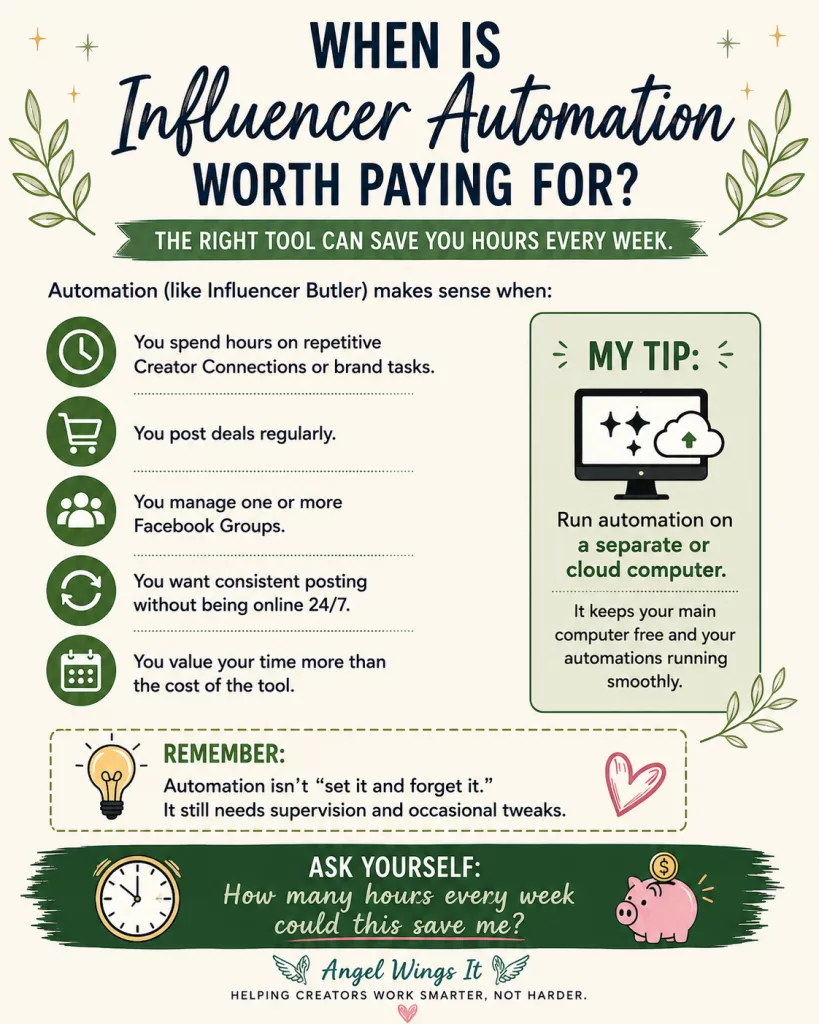
That lets the automations do their thing without taking over the machine you’re trying to work on.
It’s a small operational detail, but it’s one I’d want to know before subscribing.
Influencer Butler Is Still New—and It Shows Sometimes
This is also the tool where I think it’s particularly important to separate potential from polish.
Influencer Butler is relatively new.
And yes, it can be buggy.
Automation software is complicated by nature, particularly when it’s interacting with platforms that can change without warning. I’ve encountered issues, and I wouldn’t describe the experience as completely hands-off or flawless.
The upside is support.
Liz has been very responsive when I’ve had problems, which matters enormously with automation software. When something breaks, you don’t necessarily need a beautifully written knowledge-base article.
Sometimes you need someone to actually help you figure out what went wrong.
The downside is that Liz is one person.
That’s worth considering when you’re evaluating software that may eventually become an important part of your business workflow. Responsive founder-level support is fantastic; relying heavily on a very small operation can also create a bottleneck.
Neither cancels out the other.
They’re simply both part of the decision.
Automation Still Needs Supervision
I wouldn’t approach Influencer Butler expecting to install it, click one button, and never think about those tasks again.
Platforms change. Websites behave unexpectedly. Automations fail. Something that worked yesterday may need attention tomorrow.
But Influencer Butler can take repetitive actions that would otherwise require your time and handle much of that work for you.
That’s how I think about its ROI.
Instead of asking “How many features am I getting?”, ask:
“How many hours of repetitive work is this saving me every month?”
If the answer is several hours—or several hours every week—the economics change pretty quickly.
Influencer Butler Pricing
Influencer Butler currently costs $39 per month or $390 per year, with a short trial available so you can test it before committing.
I wouldn’t recommend paying for automation just because automation sounds appealing. You need something worth automating first.
If you’re making your first handful of videos, your time is probably better spent making more videos and learning the program. Once repetitive tasks start consuming meaningful portions of your week, Influencer Butler becomes much more interesting.
Save 15% on Influencer Butler
If Influencer Butler fits your workflow, use my code ANGELA to save 15% every month for as long as you remain subscribed.
Promo code: ANGELA
Disclosure: This is my referral code. I earn a recurring commission for the first 12 months when someone subscribes using my code. Your 15% discount continues for as long as you remain subscribed. My recommendations here are based on my own experience using Influencer Butler.
My Verdict on Influencer Butler
Best for: High-volume Amazon Influencers, creators doing a lot of repetitive Creator Connections or brand work, deal posters, and especially creators managing Facebook deal groups.
Influencer Butler isn’t trying to beat Logie at product data or Oink at helping beginners learn the program.
Its value is giving you some of your time back.
For me, its deal automation—and particularly Facebook Group posting—makes it uniquely useful. It’s also new enough that I expect some rough edges, so I keep an eye on the automations rather than treating them as completely hands-off.
If repetitive tasks are consuming hours of your week, it’s worth looking at.
If they aren’t?
You probably don’t need automation yet.
Cha-Ching Automate — Best for Video Repurposing and International Storefronts
Cha-Ching Automate is probably the easiest tool in this guide for me to explain why I pay for it:
I’ve already done the hard part. I made the videos. I want those videos working in as many places as possible without creating a second job for myself.
That’s what Cha-Ching does for me.
Unlike Oink or Logie, I don’t primarily use Cha-Ching to decide which products to review or analyze opportunities. Its job comes later in my workflow.
Once I’ve created an Amazon Influencer video, Cha-Ching helps me take that existing piece of content and put it to work elsewhere—particularly on YouTube and Amazon’s international storefronts.
What Does Cha-Ching Automate Do?
Cha-Ching is an automation platform designed to repurpose videos you’ve already uploaded to Amazon.
It can help distribute those videos to YouTube and international Amazon storefronts, handling much of the repetitive work involved in moving content from one platform to another.
That includes things like transcription, translation and localized captions for international markets, scheduling, affiliate links, playlists, duplicate detection, and other parts of the distribution process.
For me, the important word there is existing.
I’m not making another video.
I’m getting more potential value from a video I’ve already spent the time and energy to create.
Why Repurposing Gets More Valuable as Your Library Grows
It’s easy to think of “Amazon Influencer” as meaning Amazon.com, but your existing videos may have value beyond the U.S. storefront—and beyond Amazon entirely.
You can manually upload videos to international storefronts and YouTube, create metadata, organize everything, add appropriate links, and keep track of what you’ve already published.
The question isn’t whether that’s possible.
It’s whether you want to spend your time doing it.
That calculation also changes as your video library grows. Manually repurposing 10 videos probably isn’t an enormous undertaking. Fifty is different. If you have hundreds, you’re looking at a substantial library of content you’ve already invested time in creating.
That’s when automation becomes much more compelling.
I’ve already done the hard part. I made the videos. Cha-Ching helps me get more value from work I’ve already done.
Before You Subscribe, Check the Tools You’re Already Paying For
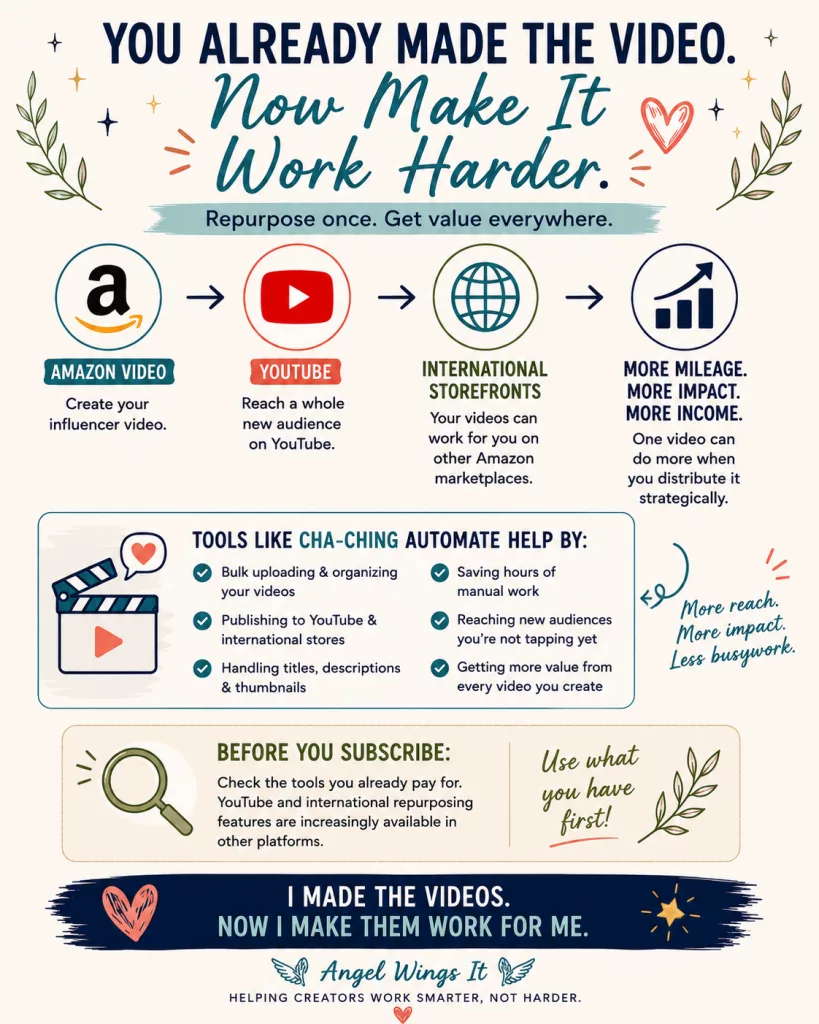
There’s one important caveat to my Cha-Ching recommendation: video repurposing isn’t unique to Cha-Ching anymore.
Several Amazon Influencer tools are beginning to add their own repurposing features, including support for YouTube and international Amazon storefronts. That means you may already have access to some of what Cha-Ching does through another tool you’re paying for.
Before adding another subscription, check your existing stack.
If another tool already handles YouTube uploads, international storefronts, or enough of your repurposing workflow that you’re happy with it, you may not need Cha-Ching at all.
Where Cha-Ching still makes sense to me is when you don’t already have a reliable system for getting more use from the videos you’ve created.
If you have dozens or hundreds of Amazon videos sitting in your library and you’re not repurposing them because doing it manually would take too much time, Cha-Ching gives you a relatively inexpensive way to put that existing content to work elsewhere.
That’s the real value proposition.
Don’t subscribe to Cha-Ching just because it can repurpose videos. Subscribe if repurposing is a problem you haven’t already solved with another tool.
For my workflow, it solves that problem well enough that it’s worth paying for—even though there are parts of the software I’d still like to see improved.
YouTube Gives Your Amazon Videos Another Life
YouTube is particularly interesting because it gives product content a life outside Amazon.
An onsite Amazon video depends heavily on where and when Amazon chooses to display it.
A YouTube video can potentially be discovered through search, recommendations, your channel, Google, and links you share elsewhere.
That doesn’t mean every repurposed Amazon video is suddenly going to become a YouTube hit.
Most won’t.
But I would rather give content I’ve already created another opportunity to be discovered than leave it sitting in only one ecosystem—especially when software can handle much of the additional work.
Cha-Ching makes that practical at scale.
Where Cha-Ching Falls Short—and Why I Still Pay for It
There’s one area where I really want Cha-Ching to improve:
Titles, descriptions, and thumbnails.
It handles them. I just don’t think it handles them particularly well.
This is where I’d love to see deeper AI integration—something that understands the actual content of the video and uses that information to create a stronger YouTube title, useful search-friendly description, and compelling thumbnail or thumbnail concept.
Right now, Cha-Ching is very good at getting my content there.
I’d like it to become much better at helping that content perform once it gets there.
But software doesn’t have to be perfect to be worth paying for.
I can improve a title, rewrite a description, or replace a thumbnail when I think a video deserves more attention.
What I don’t want to do is manually manage the entire distribution process for every Amazon video I’ve already made and every new one I create.
The problem Cha-Ching solves is more valuable to me than the parts I don’t like.
That’s why I still pay for it.
Cha-Ching Automate Pricing
Cha-Ching currently costs $20 per month or $200 per year.
There isn’t a permanent free tier, so unlike Oink or Logie, this isn’t something I’d tell every new influencer to sign up for immediately.
I’d look at your existing video library first.
If you’re still building your first small batch of videos, you may get more value from simply concentrating on making more good content.
As that library grows, the economics start changing.
At $20 per month, Cha-Ching doesn’t need to create hundreds of dollars in additional income overnight to make sense for me.
It needs to save enough time and extend the reach of enough existing content that I’d rather pay $20 than do all of that work myself.
For my workflow, it clears that bar.
Save 10% on Cha-Ching Automate
If Cha-Ching makes sense for your video repurposing workflow, you can use my promo code ANGEL to save 10% every month for as long as you remain subscribed.
Promo code: ANGEL
I use this discount on my own Cha-Ching subscription, so I can confirm that the savings are recurring rather than limited to your first payment.
Disclosure: This is my referral code, which means I may earn a commission if you subscribe using it. Your subscription is discounted by 10%, and my recommendation is based on my own experience paying for and using Cha-Ching Automate.
My Verdict on Cha-Ching Automate
Best for: Amazon Influencers with a growing library of videos who want to expand onto YouTube and international Amazon storefronts without manually managing every upload.
Cha-Ching isn’t the tool I’d tell a brand-new influencer to buy.
It’s the tool I’d tell a creator with a growing back catalog to evaluate by asking:
How much would it cost me—in time—to do all of this myself?
If another tool you already pay for handles the repurposing you need, use it. You don’t need Cha-Ching just because it exists.
But if you have dozens or hundreds of Amazon videos sitting in your library and no practical system for putting them to work elsewhere, I think Cha-Ching is worth considering.
For my workflow, it clears that bar.
It lets me get more mileage from work I’ve already done.
Viral Vue — Best for an All-in-One Amazon Influencer Toolkit
Viral Vue is the tool in this guide I’ve spent the least amount of time using.
That’s not because I found it bad.
I stopped using it because I had a hard time justifying the price for my particular workflow.
That’s an important distinction.
Viral Vue does a lot. It combines product research, storefront and placement data, Creator Connections tools, brand-deal tracking, earnings and performance information, content research, and other Amazon Influencer features inside one ecosystem.
The problem for me was that I could already accomplish much of what I wanted with other tools—often for less money.
But depending on which tools you’re already using, that same breadth could be exactly what makes Viral Vue appealing.
What Does Viral Vue Do?
Viral Vue is a broad Amazon Influencer research, analytics, and workflow platform.
Its tools cover several areas we’ve already discussed in this guide, including product research, video and carousel placement data, storefront analysis, Creator Connections, brand deals, content opportunities, earnings, and workflow tools.
That makes Viral Vue somewhat different from a narrowly focused tool like Cha-Ching.
You’re not subscribing because it solves one specific problem.
You’re subscribing because you want a lot of your Amazon Influencer information and tools in one place.
For the right creator, that’s convenient.
For me, it created an overlap problem.
Viral Vue Has a Free Tier
One thing I do like is that you don’t necessarily have to pay immediately to see whether Viral Vue fits your workflow.
Its free tools give creators a way to explore parts of the platform before deciding whether the paid features justify another subscription.
That’s the approach I’d recommend.
If you’re curious about Viral Vue, start free and actually use it alongside your current workflow for a while.
Don’t upgrade because the paid feature list looks impressive.
Pay attention to which Viral Vue tools you keep opening.
Those are the features you’re really evaluating.
Why I Didn’t Stick With Viral Vue—and Why You Might
For me, Viral Vue got squeezed between Oink and Logie.
Oink already handles a lot of the practical Amazon Influencer and Creator Connections work I need, and I think it offers excellent value. When I want deeper product data, AI tools, and brand communication, I prefer Logie.
That left me asking what Viral Vue was adding to my particular stack that justified another paid subscription.
I couldn’t come up with a strong enough answer.
But “not worth it for me” and “not worth it” are two very different things.
If you aren’t already using the same combination of tools I am, Viral Vue’s breadth could be exactly what makes it valuable.
There is real value in not having five dashboards open. If Viral Vue gives you the product research, placement information, Creator Connections tools, analytics, storefront data, and workflow features you actually use, paying more for one platform may make more sense than piecing together several subscriptions.
So I wouldn’t evaluate Viral Vue by asking:
“Is this cheaper than Oink?”
I’d ask:
“How many other tools could Viral Vue replace for me?”
If the answer is two or three, its price starts looking very different.
Training and Community Are Genuine Strengths
Viral Vue also deserves credit for education.
There are training videos and guides to help creators learn the platform, along with an active Facebook community.
That’s important with a tool this broad.
And just as I’ve said with Oink and Logie, I consider training part of the value of creator software—not an optional extra.
Amazon changes constantly.
Software changes.
Creator Connections changes.
The strategies creators use change.
Having access to current education and other creators who are actively working in the same ecosystem can sometimes be as useful as another feature in the dashboard.
Viral Vue Pricing
Viral Vue’s pricing requires a little attention because annual pricing can be displayed as an equivalent monthly amount.
At the time of this guide, the paid plans are:
Starter — $39/month
or $390/year, which works out to about $32.50 per month.
Professional — $79/month
or $790/year, which works out to about $65.83 per month.
The Professional tier is where more of the advanced Creator Connections, campaign, product-discovery, brand-communication, and other higher-level features come into play.
That pricing is one of the reasons I’d strongly recommend trying the free tools before subscribing.
At $79 per month, Viral Vue needs to do more than look impressive.
It needs to replace enough work—or enough other software—to earn that place in your budget.
Save 10% on Viral Vue
If you decide Viral Vue is the right fit for your Amazon Influencer workflow, you can use my coupon code WELCOME10 to save 10% on your subscription.
Coupon code: WELCOME10
I’d still recommend starting with Viral Vue’s free tools first. Use them long enough to figure out which parts of the platform you actually reach for, then decide whether the paid features would replace enough work—or enough other subscriptions—to justify the upgrade.
Disclosure: This is my referral coupon, which means I may earn a commission if you subscribe using it. My assessment of Viral Vue is based on my own experience using the platform, including my decision not to keep it as part of my paid tool stack.
My Verdict on Viral Vue
Best for: Amazon Influencers who want a broad research, analytics, Creator Connections, and workflow platform and would prefer to consolidate more of their work into one ecosystem.
Viral Vue is the tool in this guide I used the least—not because I thought it was bad, but because too much of its functionality overlapped with tools I already preferred.
That’s why I strongly recommend starting with its free tools before paying. See which features you actually use and compare the paid platform against your current stack, not against one competitor in isolation.
If Viral Vue can replace multiple subscriptions or bring scattered parts of your workflow into one place, its price may make a lot of sense.
For me, it didn’t.
And I think that’s an important distinction in a review like this: a tool doesn’t have to be bad for me to decide I don’t need it.
Amazon Influencer Tools Compared Side by Side
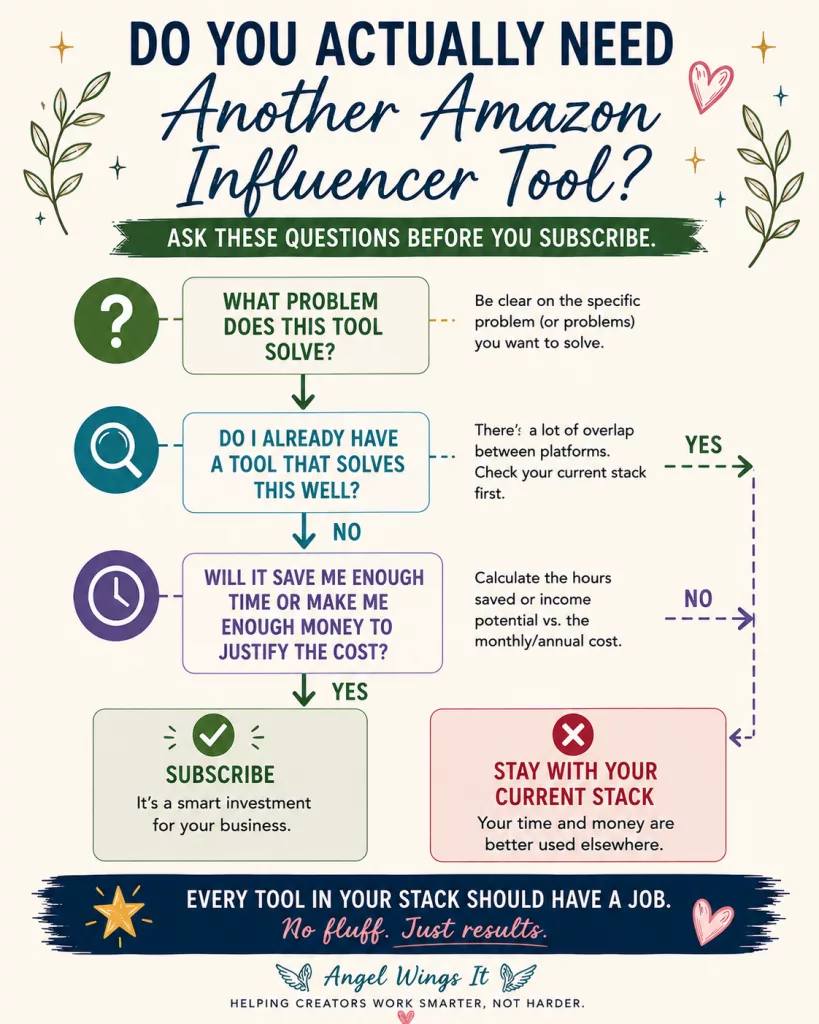
Now that we’ve looked at each tool individually, here’s how I think they compare based on actually using them.
Remember: there isn’t one tool that wins every category. The better question is which one solves the problem you’re dealing with right now.
| Tool | Free Option | Paid Plans Start At | Strongest For | Learning Curve | Training & Support | Current Discount |
|---|---|---|---|---|---|---|
| Oink | Yes | $29.99/mo | Beginners, Creator Connections & practical workflow tools | Easy | Excellent | 10% off — ANGEL10 |
| Logie 5 | Yes | $59/mo | AI, product data & brand communication | Moderate–High | Excellent | Founding Creator annual offer through Aug. 31 |
| Influencer Butler | Trial | $39/mo | Automation & deal-group workflows | Moderate | Very responsive direct support | 15% recurring — ANGELA |
| Cha-Ching Automate | No | $20/mo | Video repurposing, YouTube & international storefronts | Easy–Moderate | Community/support | 10% recurring — ANGEL |
| Viral Vue | Yes | $39/mo | Broad all-in-one Amazon analytics & research | Moderate | Strong training & community | 10% off — WELCOME10 |
So…Do You Need More Than One?
Not necessarily.
There’s increasing overlap between these platforms, so I wouldn’t build a stack just for the sake of having more tools.
Oink helps you learn and manage the work. Logie gives you deeper data and AI tools. Influencer Butler automates repetitive work. Cha-Ching helps repurpose finished videos. Viral Vue brings more of those functions together under one roof.
You may eventually find that two or three of them solve different enough problems to justify the cost.
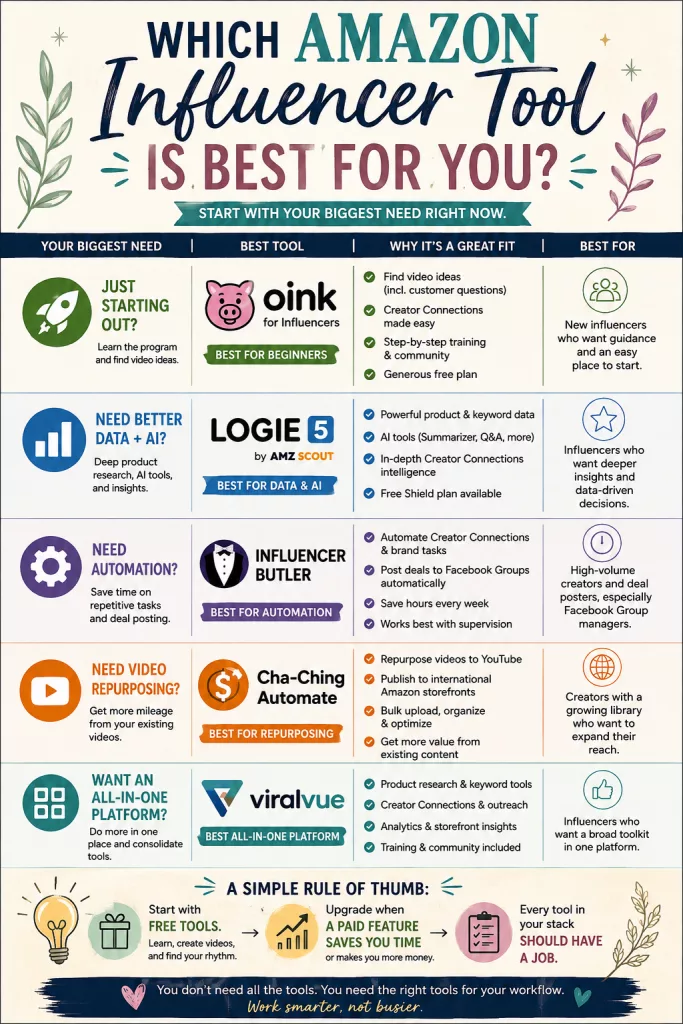
But every tool in your stack should have a job.
→ Read: How I Edit My Amazon Influencer Videos in CapCut — My Simple Phone Workflow
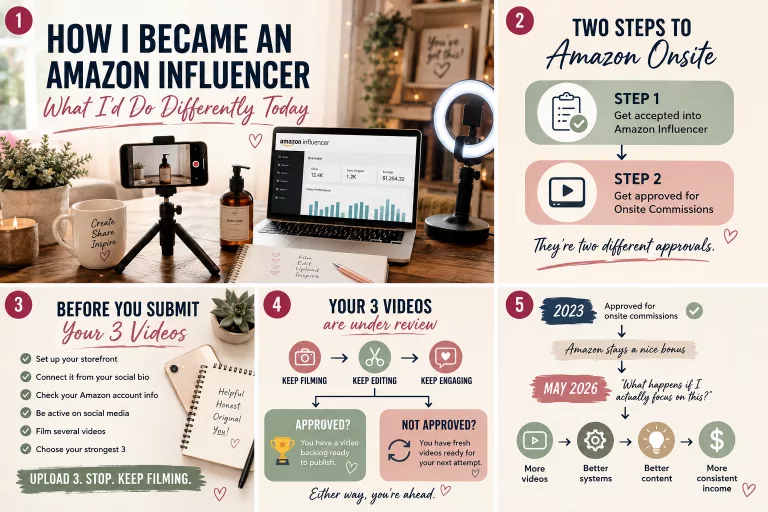
→ How I Became an Amazon Influencer — And What I’d Do Differently Starting Today
📌Pin It
Frequently Asked Questions About Amazon Influencer Tools
What is the best Amazon Influencer tool for beginners?
Oink is my top recommendation for complete beginners. I’d also sign up for Logie 5’s free Shield plan for its product data and research tools.
What are the best free tools for Amazon Influencers?
My free starting stack is Oink Free + Logie 5 Shield Free. Viral Vue also has free tools worth exploring if you’re interested in its broader platform.
Is Oink or Logie 5 better?
They’re good at different things. Oink is easier for beginners; Logie has the edge for deeper product data and AI-assisted workflows. Since both have useful free plans, try both before paying.
Are paid Amazon Influencer tools worth it?
They can be—when they solve a problem that’s actually costing you time or money.
Ask: What will this tool let me do faster, better, or more profitably than I’m doing it now?
If you can’t answer that, stick with the free tools.
What is the best tool for Amazon Creator Connections?
It depends on what you need. Oink is an approachable starting point for finding and managing opportunities, while Logie 5 becomes more compelling for deeper data, AI assistance, opportunity intelligence, and brand communication.
Do I need multiple Amazon Influencer tools?
No. There’s substantial—and growing—overlap between platforms.
Add another tool when it has a specific job your current stack isn’t already doing well.
Final Thoughts: Start With the Problem, Not the Software
There are more tools available to Amazon Influencers than there were when I started, and they’re getting more powerful all the time.
That’s a good thing.
It also makes it very easy to convince yourself that you need all of them.
You don’t.
If you’re brand new, my recommendation is still simple: start with Oink Free and Logie 5 Shield Free. Make videos. Learn the program. Take advantage of the training that’s available. Give yourself enough time actually doing the work to discover what your workflow looks like.
Then pay attention to what starts getting in your way.
If you need better data and more powerful AI tools, you may decide it’s time to upgrade Logie. If repetitive tasks are eating up your day, Influencer Butler may be worth the subscription. If you’ve built a large video library and aren’t doing anything with it beyond Amazon, Cha-Ching can help put that existing work to use elsewhere. And if you’d rather consolidate more of your research, analytics, and Amazon Influencer tools into one platform, Viral Vue may make more sense for your workflow than it did for mine.
Oink may also continue growing with you well beyond the beginner stage.
The point isn’t to build the “perfect” Amazon Influencer software stack.
Every tool you pay for should have a job.
It should save you meaningful time, give you information that helps you make better decisions, help your existing work go further, or solve a problem you would otherwise have to handle manually.
If it doesn’t?
Cancel it.
Your software stack should support your Amazon Influencer business—not become another expense your Amazon Influencer business has to support.